
Choose an outdoor wireless bridge that fits your installation. Review enclosure protection, mounting height, safe cabling, PoE compatibility, lightning precautions and signal conditions.
An outdoor wireless bridge can move a wired network across a driveway, farmyard or industrial site. Reliability depends on the entire installation: the radio, mounting point, cable path, power supply and radio conditions.
Outdoor rating is only one part of durability
Check whether the enclosure is specified for the relevant outdoor conditions, including dust, water exposure and temperature. An IP65 enclosure offers defined dust and water-jet protection but does not make open connectors waterproof or the unit suitable for immersion. Follow the manufacturer's orientation and sealing instructions.
Mounting and directional alignment
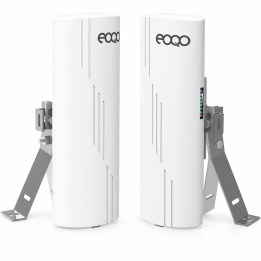
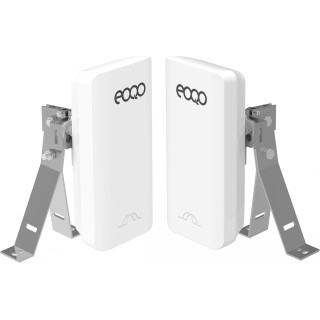
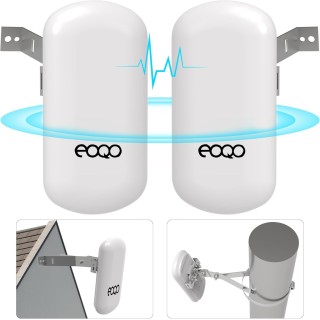
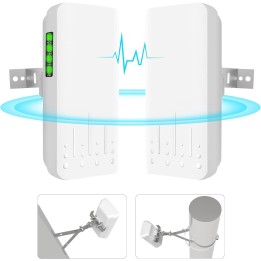
PtP bridge antennas are often directional. Mount both radios on secure brackets and aim them at one another. Choose a location that reduces obstruction from walls, vegetation and moving vehicles. A rigid, properly anchored mount helps preserve alignment through seasonal weather changes. Do not position hardware where it creates an electrical or falling-object hazard.
PoE, cable length and weather protection
Many outdoor bridges receive power through an RJ45 PoE input, but passive PoE and standards-based PoE cannot be assumed interchangeable. Match the supply to the exact device rating and labeled input. Use appropriate outdoor-rated Ethernet cable, secure drip loops and weather-protected entry points. Electrical grounding and surge protection requirements depend on local codes and site conditions; use qualified installers where appropriate.
Signal quality and actual range
A 5 GHz outdoor bridge can be effective with a good line of sight. However, trees, structures, crowded channels and Fresnel-zone obstructions can cause reduced speeds, retries or disconnects. The long-range bridge guide explains the difference between advertised distance and a properly designed radio path.
Outdoor installation checklist
- Identify your exact model, kit count and supported modes.
- Confirm a suitable radio path and compatible antenna orientation.
- Use the correct PoE source, data port and outdoor cable routing.
- Bench-test pairing and end-to-end data flow first.
- Confirm the signal and throughput after final mounting.
- Document IP addresses, channel settings and cable labels for servicing.
What kind of outdoor network are you building?
For one barn, select a PtP system. For several buildings, evaluate PtMP compatibility. If the goal is yard coverage for phones rather than building-to-building backhaul, see Wireless Bridge vs. AP.
Frequently asked questions
Is IP65 sufficient for any outdoor mounting point?
No. Check enclosure limits, connection sealing, sun exposure, temperature and the exact installation instructions.
Can I reuse a different PoE adapter?
Only when its electrical specifications and wiring are confirmed compatible with the exact radio.
Does a high-gain antenna cover a wider area?
Often the opposite: higher-gain directional antennas focus energy into a narrower beam and require alignment.
Explore EOQO Resources
Related products
- -20%
- -20%




Related topics, guides, blogs & resources
Topics
-
How to Choose a Wireless Bridge: Wireless Bridge vs. Wi-Fi Access Point
Learn how to choose a wireless bridge for Starlink, buildings and cameras. Compare bridge vs WiFi AP, PtP vs PtMP, distance, speed and PoE.
READ MORE