160° Adjustable Wireless Bridge Mount – Dual Screw Locking, 2-Pack
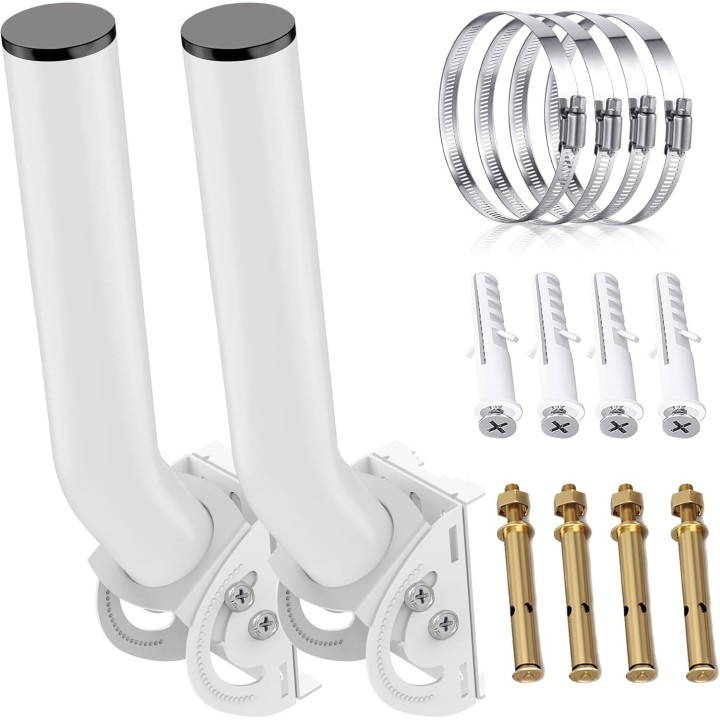
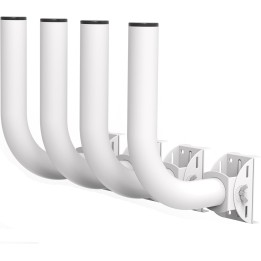
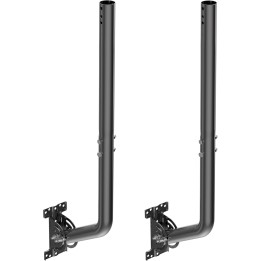
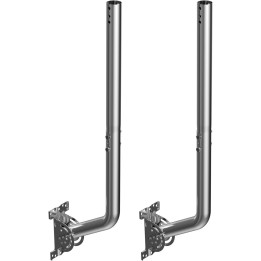
The EOQO adjustable wireless bridge mounting kit includes two durable J-pole brackets designed for point-to-point wireless bridge installations, building-to-building network connections and outdoor communication equipment.
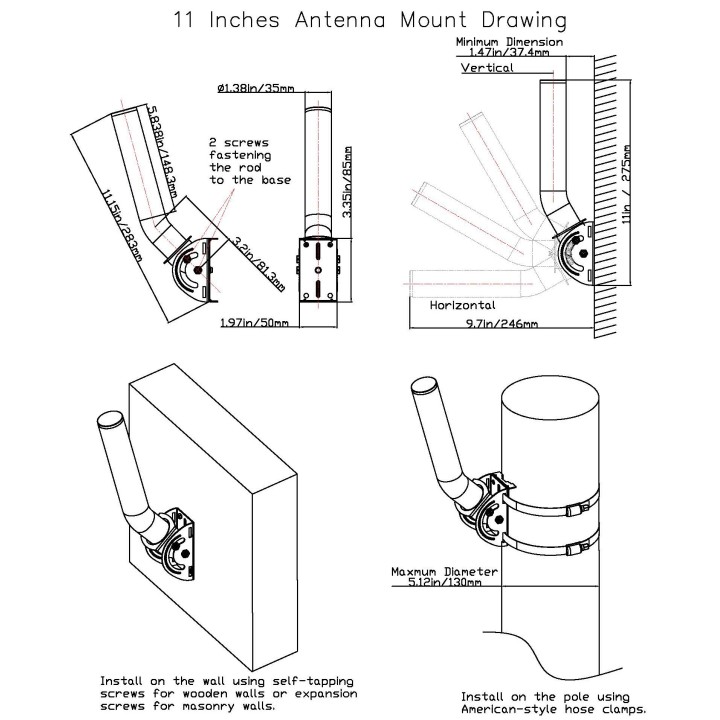
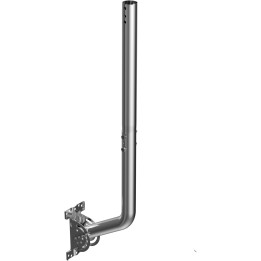
Each bracket features a dual screw locking mechanism, a precision detent positioning system and up to 160° of angle adjustment. The 11-inch J-pole with a 1.38-inch outside diameter provides a practical mounting solution for compatible wireless bridges, access points, CPE devices, antennas and outdoor WiFi equipment.
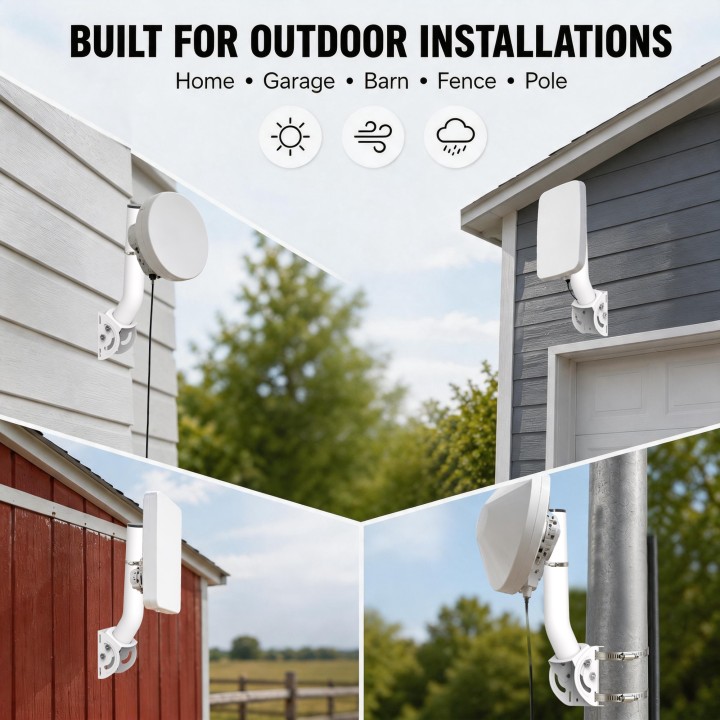
With two matching brackets and flexible wall or pole mounting options, this kit is ideal for extending network connectivity between houses, garages, barns, workshops, warehouses and other buildings.
Key Features and Benefits
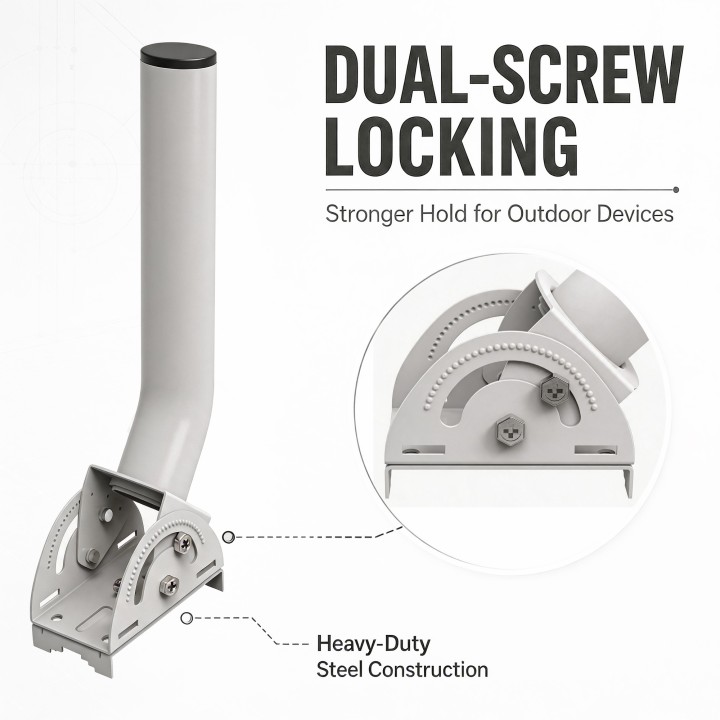
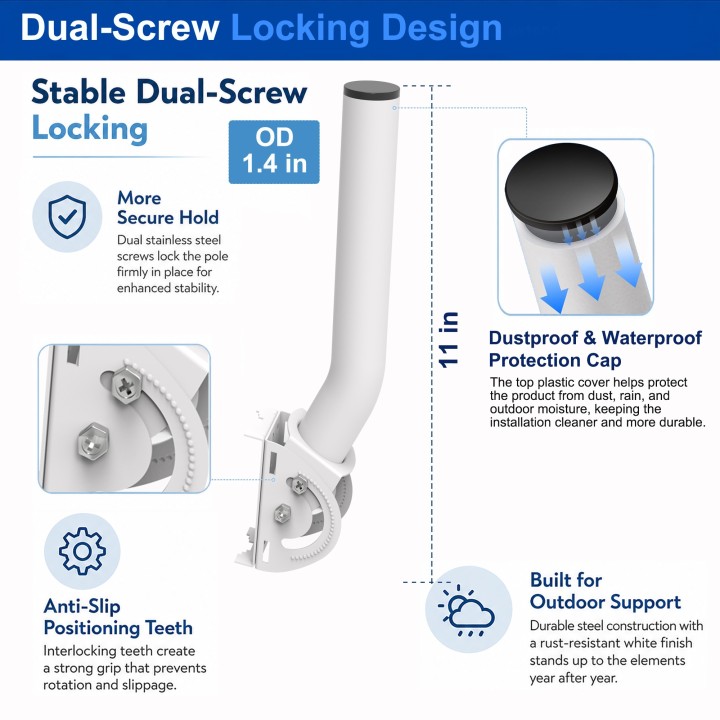
Dual Screw Locking for Enhanced Stability
Each mounting bracket features two locking screws that help secure the mast after angle adjustment. Compared with conventional single-screw designs, the dual locking structure provides additional fixing points to help reduce unwanted movement caused by everyday wind and vibration.
This design helps maintain the selected mounting position for outdoor wireless bridges, antennas and networking devices.
Precision 160° Angle Adjustment
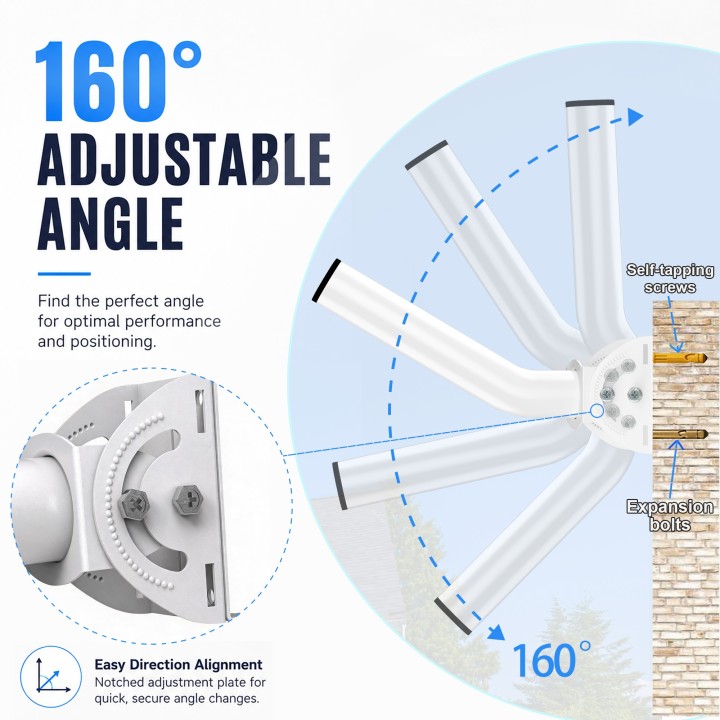
The adjustable pivot base provides up to 160° of angle adjustment, allowing flexible positioning for different installation environments.
Three raised locking tabs engage with 32 recessed positioning slots, providing incremental adjustments of approximately 6°. The non-slip detent structure helps maintain the selected angle after both locking screws are tightened.
Two Matching Brackets for Point-to-Point Networks
The 2-pack includes two mounting brackets with identical dimensions, locking mechanisms and adjustment ranges, making it ideal for paired wireless bridge installations.
Install one bracket at the transmitting location and the other at the receiving location to create a consistent mounting arrangement for your outdoor network.
Typical applications include:
-
House-to-garage wireless connections
-
Building-to-building network extension
-
House-to-barn internet connections
-
Farm and warehouse wireless networks
-
Remote security camera network links
-
Paired outdoor access point and CPE installations
Flexible Wall or Pole Mounting
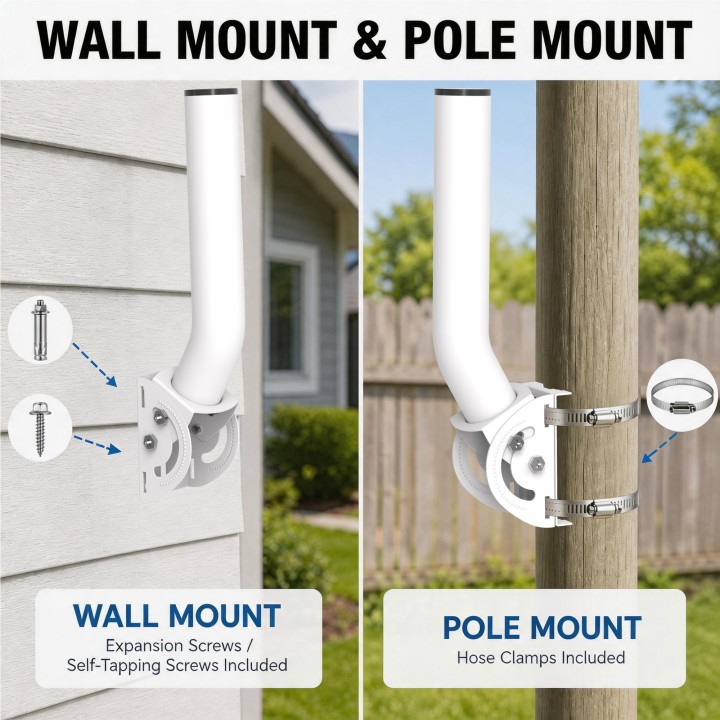
The detachable mounting base supports two installation methods:
-
Wall Mounting: Attach the bracket to a suitable brick, masonry or wooden wall using appropriate mounting hardware.
-
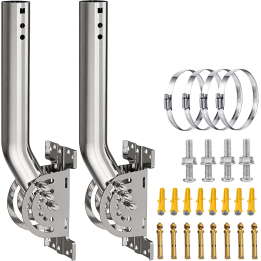
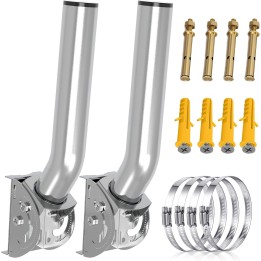
Pole Mounting: Secure the bracket to a compatible existing support pole using the included hose clamps.
Both methods allow flexible equipment placement according to building structure, device clearance and network alignment requirements.
Durable Spray-Coated Iron Construction
Made from durable iron with a protective white spray-coated finish, each mounting bracket is designed for outdoor use.
The rust-resistant coating helps protect the metal surface against everyday environmental exposure. A protective top cap helps minimize rainwater, dust and debris entering the mounting pole.
Compatible Devices
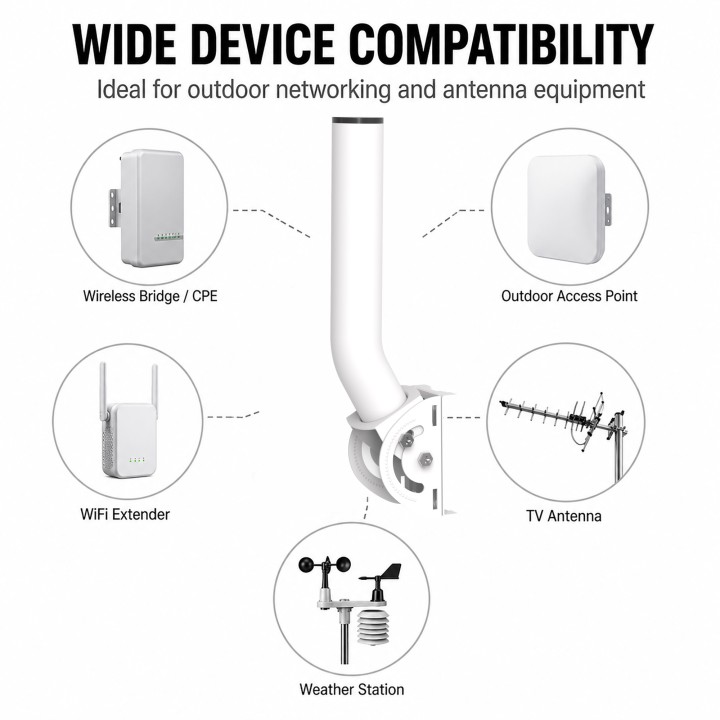
The 1.38-inch (35 mm) outside pole diameter accommodates lightweight outdoor devices equipped with compatible mounting clamps or adapters.
Suitable applications include:
-
Point-to-point wireless bridges
-
Point-to-multipoint wireless CPE
-
Outdoor WiFi access points
-
Outdoor WiFi routers and extenders
-
Directional and Yagi antennas
-
Outdoor TV antennas
-
Wireless weather stations
-
Cellular signal booster antennas
-
Wireless repeaters
-
Starlink Mini with a compatible mounting adapter
Check device weight, mounting interface and clearance requirements before installation.
Technical Specifications
-
Brand: EOQO
-
Model: eoqo-2brackets
-
Product Type: Adjustable J-Pole Wireless Bridge Mount
-
Material: Iron
-
Surface Finish: Protective Spray Coating
-
Color: White
-
Nominal Mast Length: 11 inches (279 mm)
-
Mast Outside Diameter: 1.38 inches (35 mm)
-
Maximum Angle Adjustment: 160°
-
Locking Mechanism: Dual Screw Locking
-
Positioning Tabs: 3
-
Positioning Slots: 32
-
Adjustment Increment: Approximately 6°
-
Base Type: Detachable Adjustable Pivot Base
-
Mounting Methods: Wall Mount and Pole Mount
-
Protective Top Cap: Included
-
Installation Environment: Outdoor
-
Package Quantity: 2 Mounting Brackets
Package Contents
Wireless bridges, antennas, access points, Starlink dishes and device-specific adapters are not included.
Installation Guide
-
Select suitable mounting locations with adequate structural support and device clearance.
-
Attach each bracket to a wall or compatible support pole.
-
Adjust each J-pole to the required angle.
-
Tighten both locking screws securely.
-
Attach the networking devices using compatible mounting hardware.
-
Check device alignment and all mounting connections before operation.
For point-to-point wireless networks, maintain a clear line of sight between the transmitting and receiving devices whenever possible.
Frequently Asked Questions
Can I install two wireless bridges with this kit?
Yes. The kit includes two separate mounting brackets, allowing one wireless bridge to be installed at each network endpoint.
Can the brackets be adjusted independently?
Yes. Each bracket has its own adjustable pivot base and dual screw locking mechanism.
Is this mount made of stainless steel?
No. This version is manufactured from iron with a protective spray-coated finish.
Does this bracket support Starlink Mini?
A compatible Starlink Mini mounting adapter is required and must be purchased separately.
Does this kit increase wireless transmission distance?
The brackets help position networking devices for suitable alignment and clearance. Actual transmission distance depends on the wireless equipment and installation environment.
Installation and Safety Notes
Verify mounting surface strength, equipment weight, clamp compatibility and device clearance before installation. Use suitable mounting hardware for the selected surface. Inspect all screws, clamps and protective coatings periodically, especially after severe weather.




Comments (0)
Your review appreciation cannot be sent
Report comment
Report sent
Your report cannot be sent